

What home internet service actually is
Home internet service is a connection sold by an ISP that links your household to the broader internet. The ISP runs physical or wireless infrastructure to your home, and you pay a recurring monthly fee to use it. That fee buys access to a certain speed tier and, on some plans, a limited amount of data per month.
If you are setting up a household for the first time, internet is one of the utility decisions you will face early. See the first apartment services checklist for a full list of what to arrange before move-in day. For a broader look at what internet typically costs alongside other utilities, the household utility costs reference guide has useful regional averages.
Mbps
Megabits per second, the standard unit for measuring internet speed. Higher numbers mean faster data transfer.
Download speed
How fast data moves from the internet to your device. Affects streaming, browsing, and loading files.
Upload speed
How fast data moves from your device to the internet. Affects video calls, sending emails with attachments, and cloud backups.
Data cap
A monthly limit on how much data you can send and receive before your provider charges extra or slows your connection.
ISP
Internet Service Provider, the company that sells you home internet access.
Latency
The delay between sending a request and receiving a response, measured in milliseconds. Lower latency means a more responsive connection.
Connection types you will encounter
The physical way your home connects to an ISP's network shapes the speeds and reliability you can expect.
- Fiber optic: Data travels as pulses of light through glass cables. Fiber generally delivers the highest speeds and the most consistent performance, with download and upload speeds that are often symmetrical (meaning equally fast in both directions). Availability is limited in many rural and some suburban areas.
- Cable: Uses the same coaxial cable infrastructure as cable television. Cable plans are widely available and can deliver high download speeds, though upload speeds are typically much slower than download speeds. Performance can dip during peak evening hours when many households in the same area are online simultaneously.
- DSL (Digital Subscriber Line): Delivers internet through existing telephone copper wiring. Speeds are generally lower than fiber or cable, and performance decreases the farther your home is from the provider's local equipment. DSL is often the main wired option in areas where cable and fiber have not been built out.
- Fixed wireless: A receiver installed on your home picks up a signal from a nearby tower. Speeds and reliability vary by distance to the tower and local terrain. Common in rural areas without cable or fiber infrastructure.
- Satellite: Uses orbiting satellites to deliver internet to nearly any location. Traditional satellite internet carries high latency, which makes video calls and real-time applications feel sluggish. Newer low-earth-orbit satellite services have reduced latency considerably, though they remain more expensive than wired options.
How to read speed numbers
Plans are sold in tiers described by their maximum download speed, measured in Mbps or, for very fast plans, Gbps (gigabits per second, equal to 1,000 Mbps). The number is a ceiling, not a guarantee.
Download speed covers what most households do most often: loading web pages, streaming video, downloading files. Upload speed covers outgoing traffic: video calls, sending large files, backing up photos to cloud storage.
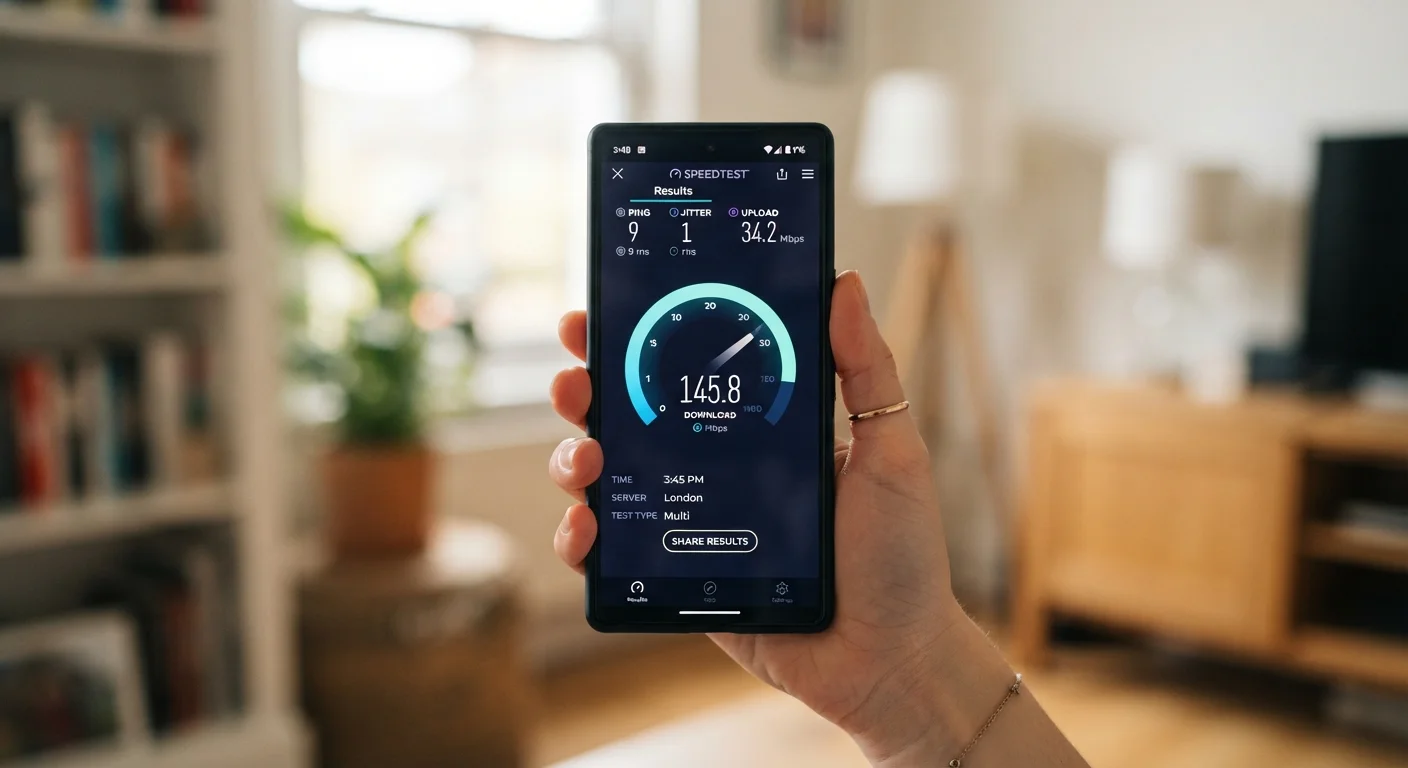
As a general reference point, a single person working from home and streaming video in HD might find 50 to 100 Mbps download sufficient. A household with several people streaming or video calling at the same time will benefit from 200 Mbps or more. These are general ranges, not prescriptions; your actual needs depend on how many devices run simultaneously and what those devices do.
Latency is a separate metric from speed. A fast connection with high latency can feel slow for real-time tasks like video calls or online gaming, even if files download quickly.
Test speeds before you commit
If a provider offers a trial period or if you can test speeds at a neighbor's address on the same plan, use a free speed test tool to measure real-world performance. Advertised speeds represent the maximum under ideal conditions, and actual speeds vary depending on network congestion, your equipment, and how your home is wired.
Data caps and what they mean for you
A data cap (sometimes called a data allowance or threshold) limits how many gigabytes you can use in a billing month. Plans marketed as 'unlimited' may still apply reduced speeds after you exceed a certain usage level, a practice called throttling. Read the fine print on any unlimited plan to understand whether full speeds are truly unlimited or whether a soft cap applies.
Households that stream video heavily, work from home, or have multiple users will consume data faster than those with lighter usage. Video streaming uses roughly 1 to 3 GB per hour at standard definition and 3 to 7 GB per hour at HD, depending on the service and quality settings.
Introductory pricing is temporary
Many providers advertise a low monthly rate that applies only for the first 12 to 24 months. After that period, the rate typically increases to a standard price listed in the contract. Before signing, ask for the rate that applies after the promotional period ends.
If you go over a hard data cap, most providers charge a per-GB overage fee or sell additional data in set increments. Some providers automatically add a block of data and bill it to your account. Check what your specific plan does before you exceed the limit.
Factors to weigh when comparing plans
Once you know which connection types are available at your address, comparing plans comes down to a few practical questions.
- Does the advertised speed match what you actually need, based on the number of people and devices in your household?
- Is there a data cap, and if so, is it high enough for your typical monthly usage?
- What does the plan cost after any introductory period ends?
- Does the provider charge a monthly equipment rental fee, or can you use your own modem and router?
- Are there installation fees, early termination fees, or contract length requirements?
- What is the provider's stated policy on outages and service credits?
Equipment rental fees add to monthly costs
Providers often charge a monthly fee to rent a modem or router. This fee does not appear in the headline price but can add $10 to $20 or more per month to your bill. Ask whether purchasing compatible equipment outright would lower your ongoing costs.
Internet costs are one line item in a broader household budget. The finance hub has general guidance on budgeting everyday household expenses. If you are also comparing other household plans, the same careful reading of contract terms applies across categories: the questions to ask before choosing an auto insurance plan shows how this approach carries over to other recurring services.